In today’s digital economy, Gmail is far more than just an email service. It’s a powerful hub for communication, organization, and even income generation. Whether you’re a freelancer, entrepreneur, or digital marketer, mastering Gmail can help you streamline workflows, build professional credibility, and unlock new earning opportunities. Below are essential tips—organized into clear strategies—that can help you leverage Gmail for financial growth.
1. Build a Professional Identity
- Custom Email Address: While Gmail’s free address is useful, pairing it with Google Workspace (e.g., yourname@yourbusiness.com) instantly boosts credibility. Clients are more likely to trust professional domains.
- Profile Optimization: Add a professional photo and signature. A clean signature with your name, role, and links to your portfolio or website makes every email a subtle marketing tool.
2. Organize for Productivity
- Labels and Filters: Create labels for clients, projects, or income streams. Filters can automatically sort incoming emails, saving time and ensuring you never miss important opportunities.
- Priority Inbox: Enable Gmail’s priority inbox to highlight messages from clients or platforms that generate revenue. This keeps your focus on income-related communication.
3. Automate Responses
- Canned Responses: Use Gmail’s “Templates” feature to save time. For example, prepare standard replies for inquiries, proposals, or payment confirmations.
- Vacation Responder: If you’re unavailable, set an auto-reply that directs clients to alternative contact methods or informs them of your return date. This maintains professionalism and prevents lost opportunities.
4. Integrate with Earning Platforms
- Freelance Sites: Connect Gmail with platforms like Upwork, Fiverr, or Freelancer. Notifications about job postings or client messages arrive instantly, allowing you to respond quickly.
- E-commerce: If you sell products online, link Gmail to your store. Order confirmations, customer queries, and payment alerts can all be managed in one place.
5. Use Gmail Extensions
- Boomerang: Schedule emails, set reminders, and track responses. Perfect for following up with clients who haven’t replied.
- Streak CRM: Manage client relationships directly inside Gmail. Track deals, monitor pipelines, and ensure no earning opportunity slips through the cracks.
- Grammarly: Polished communication increases trust. Grammarly integration ensures your emails are clear and professional.
6. Secure Your Income Channels
- Two-Factor Authentication: Protect sensitive financial data and client information. A secure Gmail account builds trust with partners.
- Phishing Awareness: Learn to spot suspicious emails. Avoid clicking unknown links or sharing personal details. Security lapses can cost both money and reputation.
7. Monetize Through Newsletters
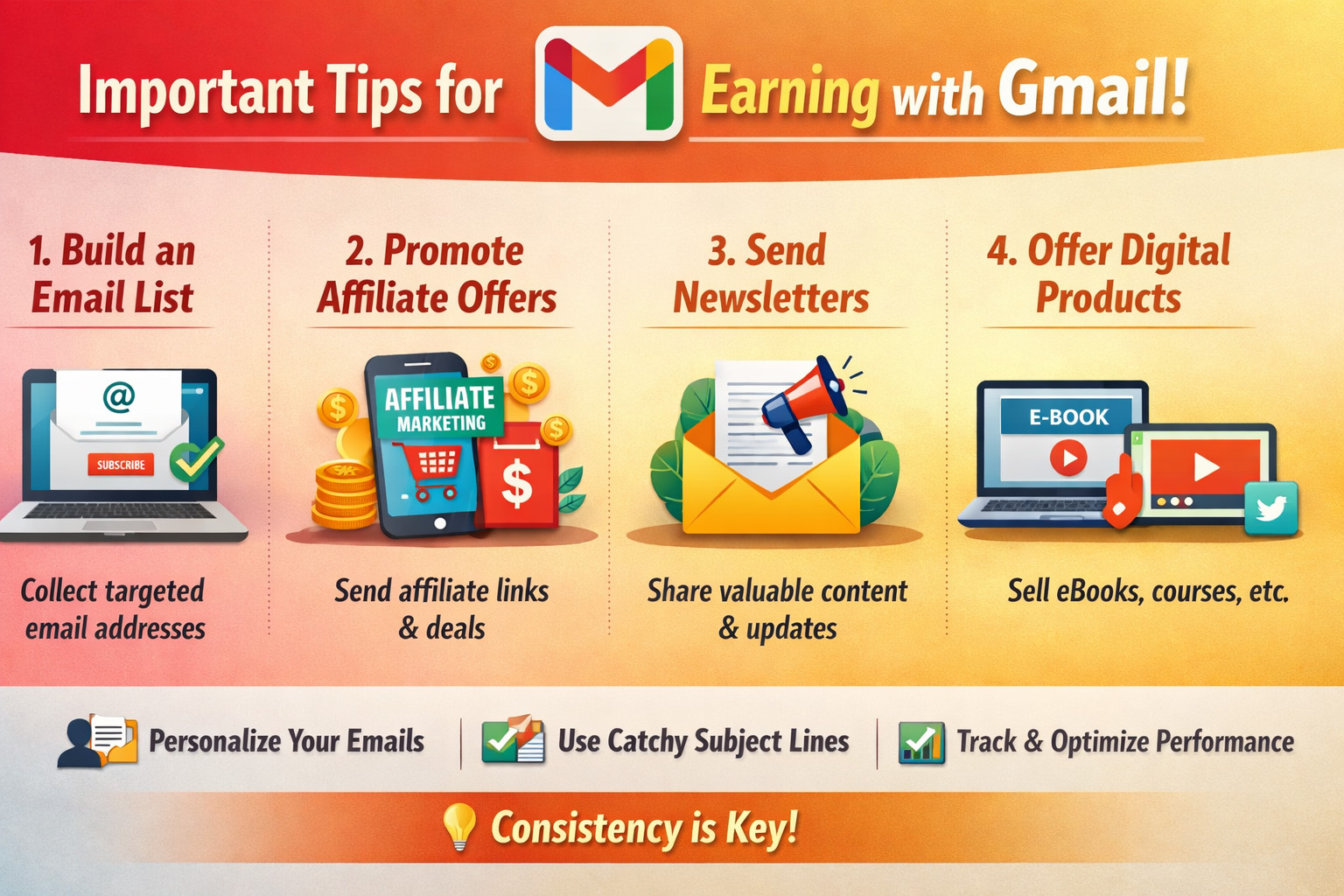
- Email Marketing: Build a subscriber list and send newsletters using Gmail integrated with tools like Mailchimp. Promote services, courses, or products directly to your audience.
- Affiliate Marketing: Share affiliate links in newsletters. Gmail helps you maintain consistent communication with your audience, turning engagement into earnings.
8. Track Payments and Invoices
- Google Drive Integration: Store invoices and contracts in Drive, accessible directly from Gmail. This keeps financial documents organized.
- Google Sheets: Track income streams and client payments. Linking Sheets with Gmail allows you to update records quickly when payment confirmations arrive.
9. Collaborate Efficiently
- Google Meet: Schedule meetings directly from Gmail. Virtual meetings with clients or partners can lead to new projects and income opportunities.
- Shared Docs: Collaborate on proposals, reports, or creative work using Google Docs. Real-time editing speeds up project delivery, which often translates into faster payments.
10. Time Management
- Calendar Integration: Sync Gmail with Google Calendar to schedule deadlines, client calls, and payment reminders. Staying organized ensures you meet commitments and maintain steady income.
- Task Lists: Use Google Tasks within Gmail to track earning-related activities. Breaking down goals into actionable steps keeps you focused.
11. Build Client Trust
- Prompt Replies: Responding quickly to emails shows reliability. Clients often choose freelancers or businesses that communicate effectively.
- Transparency: Use Gmail to send clear proposals, contracts, and updates. Transparency builds long-term relationships, which are the foundation of recurring income.
12. Explore Side Hustles
- Content Creation: Use Gmail to pitch guest posts, collaborations, or sponsorships. Many bloggers and influencers secure deals through email outreach.
- Digital Products: Promote e-books, courses, or templates via Gmail campaigns. With the right audience, these can become passive income streams.